Understanding Object-Oriented Programming in JavaScript
A beginner-friendly guide to classes, objects, constructors, and code reusability in JavaScript.

Object-Oriented Programming (OOP) is a programming style that helps developers structure code using objects and classes. Instead of writing scattered functions and variables, OOP organizes related data and behavior together. This makes programs easier to understand, maintain, and reuse.
JavaScript supports OOP through classes, objects, methods, and encapsulation, allowing developers to model real-world entities in code.
What is Object-Oriented Programming?
Object-Oriented Programming is a paradigm where programs are built using objects that represent real-world things.
An object contains:
Properties → data about the object
Methods → actions the object can perform
For example, a Car in the real world has:
Properties: color, brand, speed
Methods: start(), stop(), accelerate()
Similarly, in JavaScript we create objects that combine data and behavior together.
This approach improves code organization, reusability, and scalability.
Real-World Analogy: Blueprint → Objects
To understand OOP easily, think of a blueprint used to build cars.
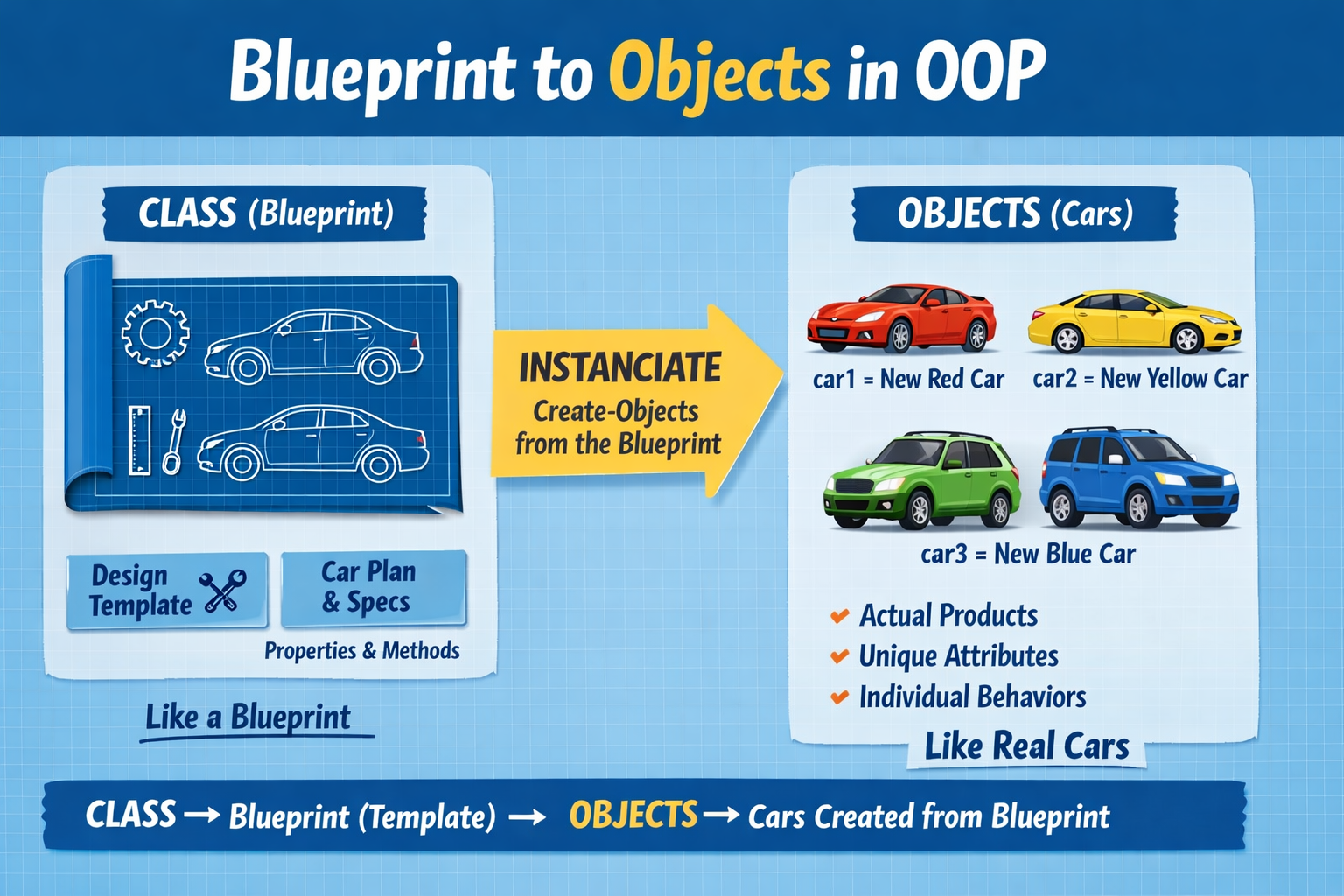
A blueprint describes how a car should be built, but it is not a real car itself.
Using that blueprint, many cars can be produced.
In programming:
Class → Blueprint
Object → Actual product created from the blueprint
For example:
Class:
CarObjects:
car1,car2,car3
Each object follows the same structure but can have different values.
What is a Class in JavaScript?
A class is a template used to create objects.
It defines:
What properties an object should have
What actions (methods) the object can perform
JavaScript introduced the class syntax in ES6, making OOP easier and cleaner.
Example:
class Person {
  constructor(name, age) {
    this.name = name;
    this.age = age;
  }

  greet() {
    console.log("Hello, my name is " + this.name);
  }
}
Here:
Personis the classnameandageare propertiesgreet()is a method
Creating Objects Using Classes
Once a class is defined, we can create objects using the new keyword.
const person1 = new Person("Rahul", 25);
const person2 = new Person("Anita", 30);

person1.greet();
person2.greet();
Output:
Hello, my name is Rahul
Hello, my name is Anita
Each object has its own data but shares the same structure defined in the class.
The Constructor Method
The constructor is a special method inside a class that runs automatically when an object is created.
It is mainly used to initialize object properties.
Example:
class Car {
  constructor(brand, color) {
    this.brand = brand;
    this.color = color;
  }
}

const car1 = new Car("Tesla", "Red");
console.log(car1.brand);
Output:
Tesla
Here, the constructor sets the values for brand and color when the object is created.
Methods Inside a Class
Methods define actions that objects can perform.
Example:
class Car {
  constructor(brand) {
    this.brand = brand;
  }

  start() {
    console.log(this.brand + " car started");
  }

  stop() {
    console.log(this.brand + " car stopped");
  }
}

const car1 = new Car("BMW");

car1.start();
car1.stop();
Methods help organize behavior related to the object.
Basic Idea of Encapsulation
Encapsulation means keeping data and the methods that operate on that data together inside a class.
Instead of allowing direct access to everything, a class controls how its data is used.
For example:
class BankAccount {
  constructor(balance) {
    this.balance = balance;
  }

  deposit(amount) {
    this.balance += amount;
  }

  getBalance() {
    return this.balance;
  }
}
Here:
The balance is part of the object.
Methods like
deposit()manage how the balance changes.
This prevents random parts of the program from modifying important data incorrectly.
Why OOP is Useful
Object-Oriented Programming helps developers:
Reuse code using classes
Organize complex applications into smaller components
Maintain and scale projects easily
Model real-world entities in software
This is why OOP is widely used in modern JavaScript applications and frameworks.
Assignment
Create a class called Student with the following features.
Requirements:
Properties:
name,ageMethod:
printDetails()Create multiple student objects
Example Solution:
class Student {
  constructor(name, age) {
    this.name = name;
    this.age = age;
  }

  printDetails() {
    console.log(`Student Name: \({this.name}, Age: \){this.age}`);
  }
}

const student1 = new Student("Rahul", 20);
const student2 = new Student("Priya", 21);

student1.printDetails();
student2.printDetails();
Output:
Student Name: Rahul, Age: 20
Student Name: Priya, Age: 21


